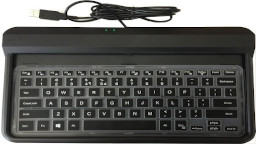
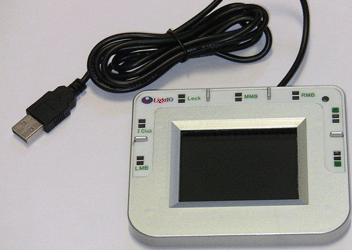


A. Touchless Keyboard
-
Pencil Operation gives hands the most relief.
Each key stroke can be down by a pencil without any pressure needed to press down aything. The pancil can move as fast as the user wants without causing unintended key hits.
-
One hand operation avoids stress on many joints.
This model is designed to be operated by one hand each unit. In this way, the keyboard can be placed to suit the natural direction of the hand and avoid the pressure on the wrist and shoulder. The keyboard can also be moved at will to avoid fixed static poture - another majore reason for body pains and RSI.
-
Two hands operate one keyboard.
Some people realy want to use both hands to operate one keyboard. It is found that using one hand (right) to control most of the keypad, using 1 or 2 fingers of another hand (left) to control the other end 2-3 colums of the keys is also a comfortable and fast configuration for hands and wrists. But when 2 hands are confined to a fixed area, the old problems with the regular keyboards such as chest pain and shoulder pain may still occur due to the stress put on the chest and shoulder.
-
Two hands operate two keyboards.
The best and fastest operation is to use both hands to operate 2 keyboards, one hand each. This way also avoids stress and pressure on many joints and gets all the fingers working.
B. Touchless Touchpad
-
Touchless Clicking
The button chosen is the Right Mouse Button. Notice that the pencil didn't touch anything.
When the pencil move down wards to about 5 mm, the button was triggered and the menu popped up. The last 2 actions were the pencil glide over the top of the button, the button was triggered and the menu popped up.
-
Cursor speed in Still Mode
In the Still Mode, the cursor can move at 4 different speeds depending on the distance from the center of the touch spot to the center of the panel. The slowest speed is operable by everyone. The fastest speed is mainly for large screens. Most people can start from a slow speed and gradually move to fast speeds.
-
Finger operation:
Features to watch:- The finger is still while the cursor moves.
- The cursor can be moved at different directions and speeds with small changes of the position of the finger.
- Double-clicking to open the software only takes one touchless click.
-
Pencil operation.
Features to watch:- The pencil is still while the cursor moves.
- The cursor can be moved at different directions and speeds with small changes of the resting point of the pencil.
- Double-clicking to open the software only takes one touchless click.
-
4. Pencil moves to move the cursor.
Features to watch:- The pencil is moving to move the cursor.
- The pencil moves faster to move the cursor at longer distance .
- Double-clicking to open the folder only takes one touchless shot.
C. Touchless Mouse
-
Touchless clicking.
-
1. Touchless cursor movement.
Shopping Cart
Proceed to check out with:
Check or money order
We accept checks and money orders for your convenience. Please pay to Lightio, and mail the order information and payment to
Sales/Lightio
950 Eton Way
Sunnyvale, CA, 94087
USA
Shipping, Handling & Refund
We ship world wide. U.S. domestic shipping is via USPS Priority Mail small flat rate box only. The cost consists of $5.20 postage and $2.50 handling fee to a total of $7.70.Contact us first and get quotation for shipping cost to outside of the U.S.
All purchases from this website has 60-day unconditional money back guarantee and 1 year warranty.