
LightIO Touchless Touchpad
-- Avoid Forces, Stress, and Pain on Hand
| Length: | 4.4 inches/11.2cm | Width: | 3.7 inches/9.4cm | |
| Height: | 0.35 inches/0.9cm | Weight: | 3.17 ounces/90g | |
| USB: Windows, Mac, Linux, no software installation | ||||
Features and Benefits | Demos | |
|
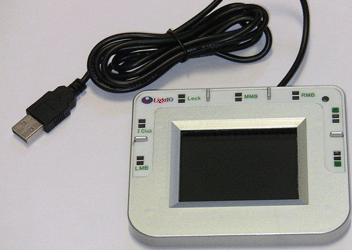
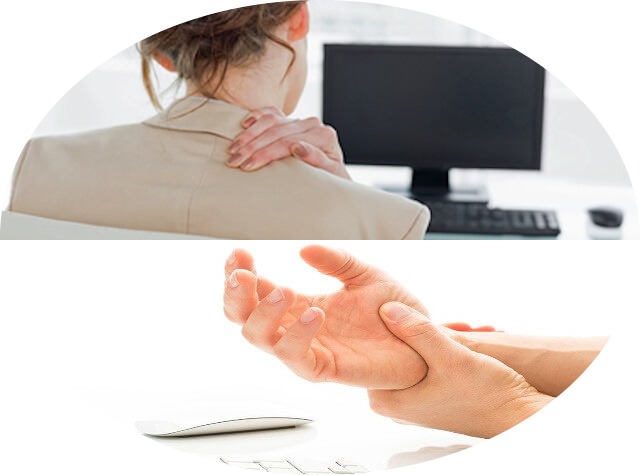
This device is invented to protect your fingers, wrist, and shoulder from pain and injuries caused by pointing and clicking activities. It is carefully designed to remove all the known causes of pain and injuries for frequent mouse users. It's especially helpful to the hands and arms with arthrities or injuries such RSI. 7 Touchless Buttons to avoid forces and strain on fingers.With 7 touchless buttons, it eliminates the discomfort of your fingers from clicking and scrolling. To press down a touchless button, you place your finger within 0 to 5 millimeters above the sensor area of about a 5 mm square to trigger the sensor. You release a touchless button by moving your finger up or away from the sensor area. You can make a double click by triggering the 2-click sensor only once to reduce the action of your finger. You can also scroll a window up or down by using the Up or Down touchless buttons without the bending your finger or touch anything. The lock button lets you to do drag and drop without straining your hand. 2 ways to move the cursor and reduce movement and fatigue.There are 2 modes to move the cursor with this product. One is to place your finger on the panel and the cursor will move. You control the speed and direction of the cursor by selecting the spot to put your finger on. The speed and direction is determined by the distance from the center of the panel. This mode reduces the movement of your fingers and arm substantially. People wit shoulder problems love this mode the most. Another mode is just like a regular touchpad, you move your finger to move the cursor. Only here no pressing contact is required, and you can use a pen or pencil to do this as well as other operations and avoid the friction on your fingers. Comfortable postures to reduce pressure and stress.This product is so light in weight and doesn't need to take on much forces, so it can let you reduce the pressure on your wrist and use any comfortable postures. If you have body pains, muscular-skeletal issues, or just want to reduce the fatigue and stress from using computers, this product helps. Supply of this device is very limited. Be nice to your hand and order one now! |
1. Touchless ClickingThe button chosen is the Right Mouse Button. Notice that the pencil didn't touch anything. When the pencil move down wards to about 5 mm, the button was triggered and the menu popped up. The last 2 actions were the pencil glide over the top of the button, the button was triggered and the menu popped up. 2. Cursor speed in Still ModeIn the Still Mode, the cursor can move at 4 different speeds depending on the distance from the center of the touch spot to the center of the panel. The slowest speed is operable by everyone. The fastest speed is mainly for large screens. Most people can start from a slow speed and gradually move to fast speeds. 3. Finger operation:Features to watch:1. The finger is still while the cursor moves. 2. The cursor can be moved at different directions and speeds with small changes of the position of the finger. 3. Double-clicking to open the software only takes one touchless click. 4. Pencil operation.Features to watch:1. The pencil is still while the cursor moves. 2. The cursor can be moved at different directions and speeds with small changes of the resting point of the pencil. 3. Double-clicking to open the software only takes one touchless click. 5. Pencil moves to move the cursor.Features to watch:1. The pencil is moving to move the cursor. 2. The pencil moves faster to move the cursor at longer distance. 3. Double-clicking to open the folder only takes one touchless shot. |